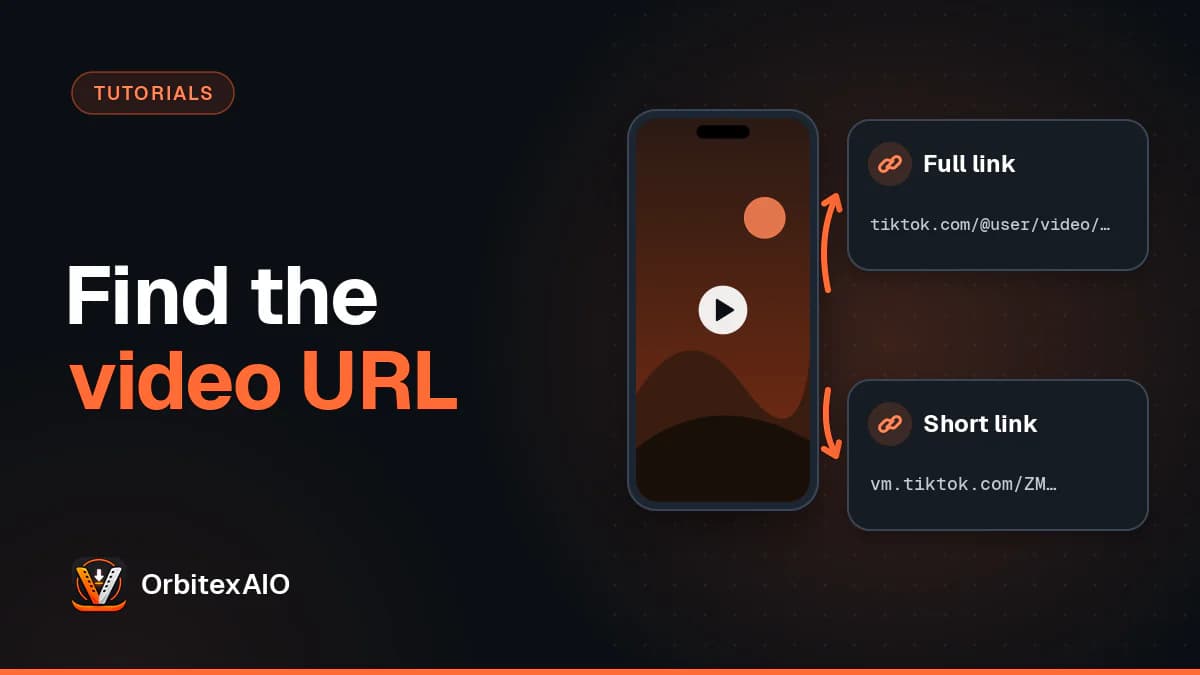
TikTok hands out two different kinds of link for the same video, and knowing which one you have saves a lot of confusion later.
From the TikTok app
While the video is playing, tap the arrow on the right-hand side of the screen. The share sheet slides up, and in the row of icons you will find Copy link. Tap it and the URL goes to your clipboard.
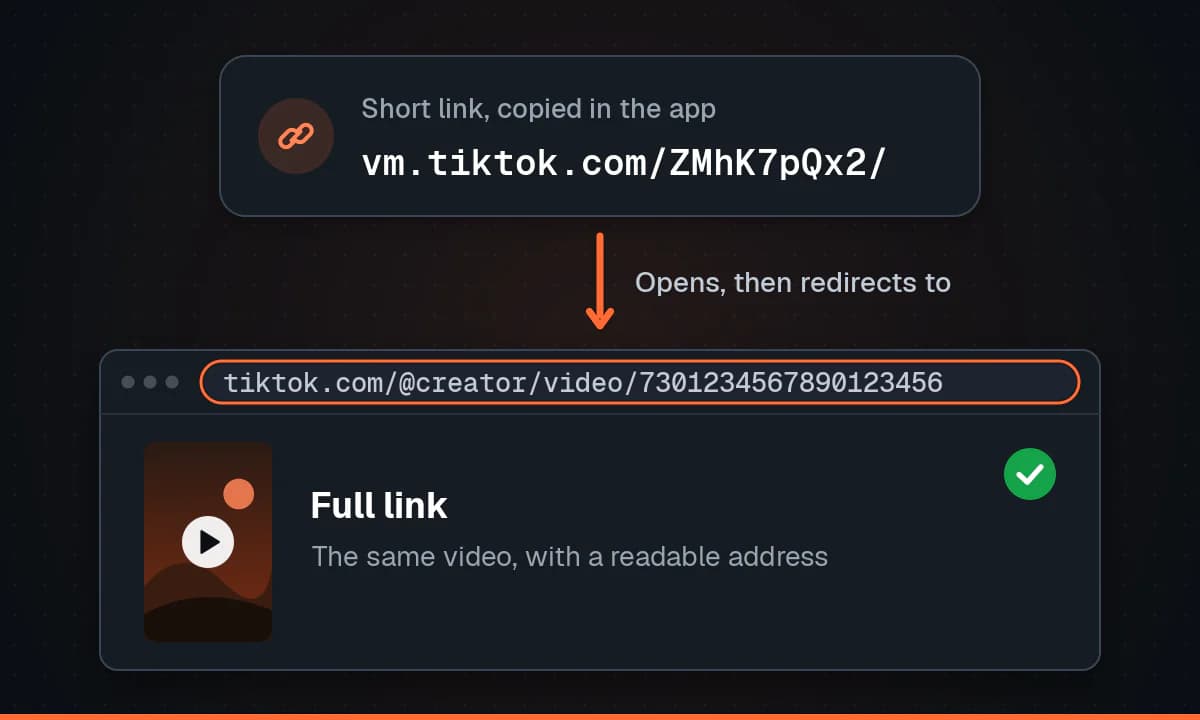
What you get is a short link - something like vm.tiktok.com followed by a handful of characters. It is deliberately compact so it survives being pasted into a text message. It is a redirect: open it and TikTok forwards you to the real address.
From the TikTok website
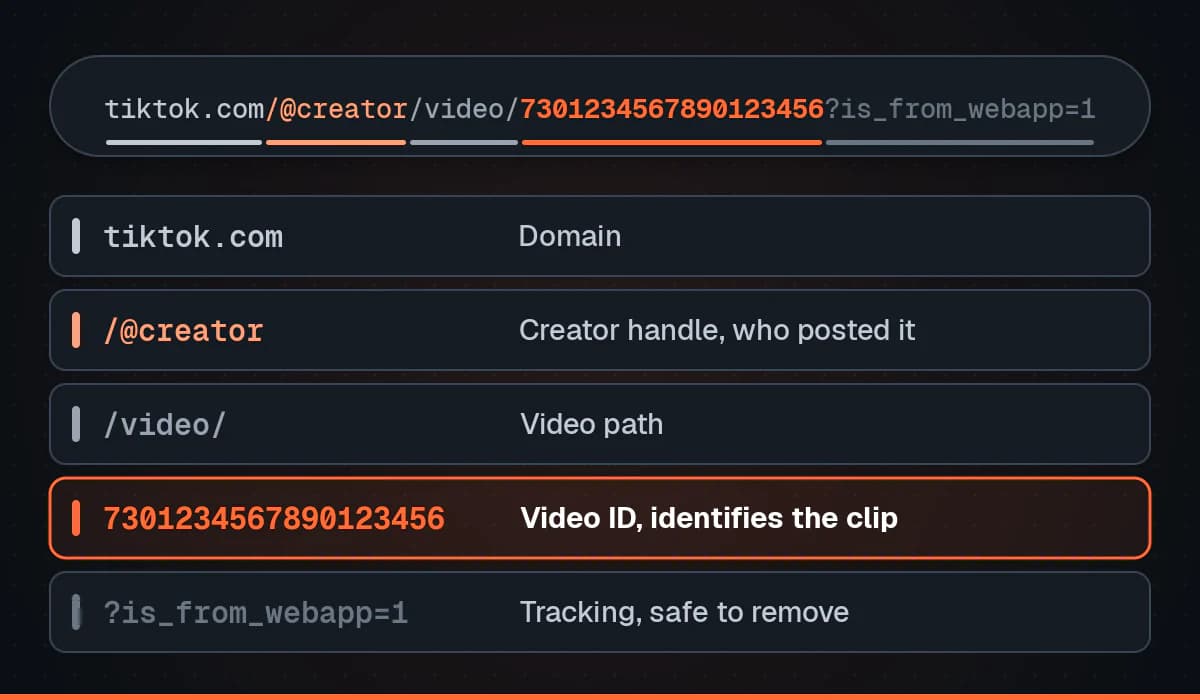
On a computer, open the video and read the address bar. You will see the full form: the domain, then the creator handle beginning with an @, then /video/, then a long string of digits. That number is the video ID and it is the part that actually identifies the clip.
The web player also has a share button that copies the same link, usually with tracking parameters attached - things recording that the link came from the web app on a desktop device. As with any tracking parameter, everything from the question mark onwards can be removed.
Note: Note
Short links and full links point at the same video. If a tool only accepts one form, opening the short link in a browser and copying the address you land on gives you the other.
Which one should you use?
For sharing with people, the short link is friendlier. For anything technical - filing a report, quoting a video in writing, or pasting into a tool - the full URL is better, because it is readable and does not depend on a redirect service still being up. It also tells you at a glance who posted it.
When Copy link is missing or greyed out
The share options a creator sees are not always the ones you see. A few reasons the option disappears:
- The account is private, so the video has no public address.
- The creator has turned off sharing or downloads for that video in their privacy settings.
- The video is region-restricted and is not being served where you are.
- It is a live broadcast rather than a posted video - live streams have no permanent URL while they are running.
Why the link you saved stopped working
A TikTok URL is stable for as long as the video is up. If a saved link starts failing, the video has almost certainly been deleted, made private, or removed by moderation. Nothing on your end can bring it back, and no tool can fetch a file the platform is no longer serving.
Warning: Important
Only download videos you own or have permission to use. A creator turning off downloads is telling you something worth respecting.