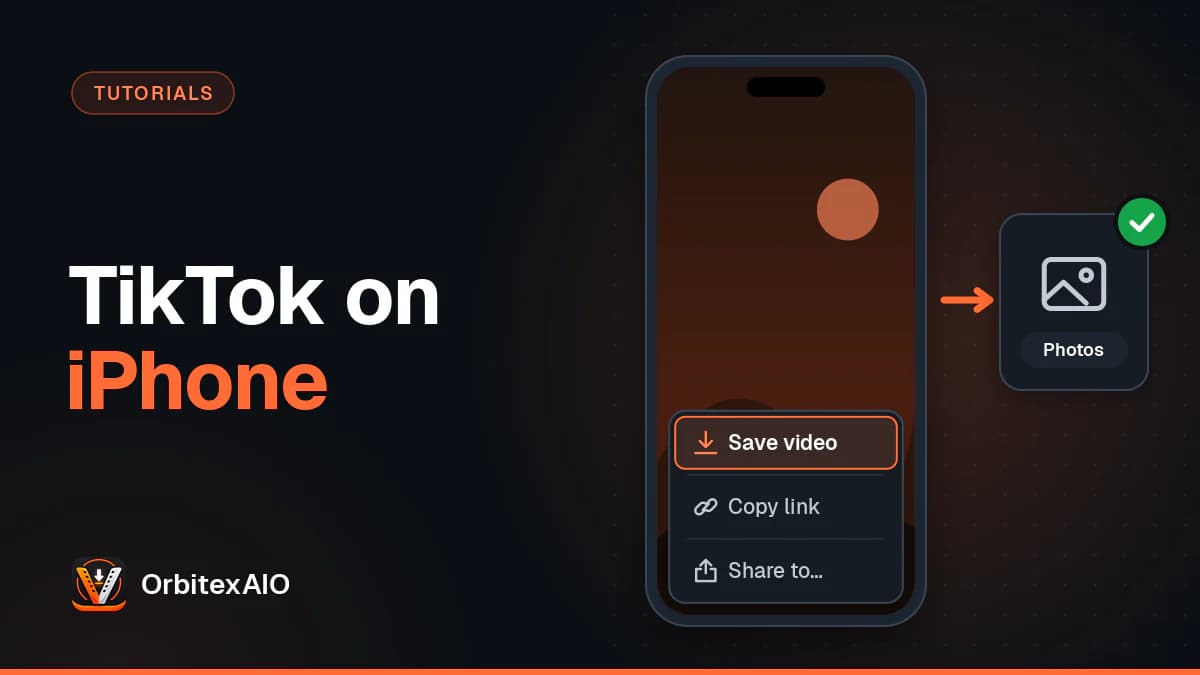
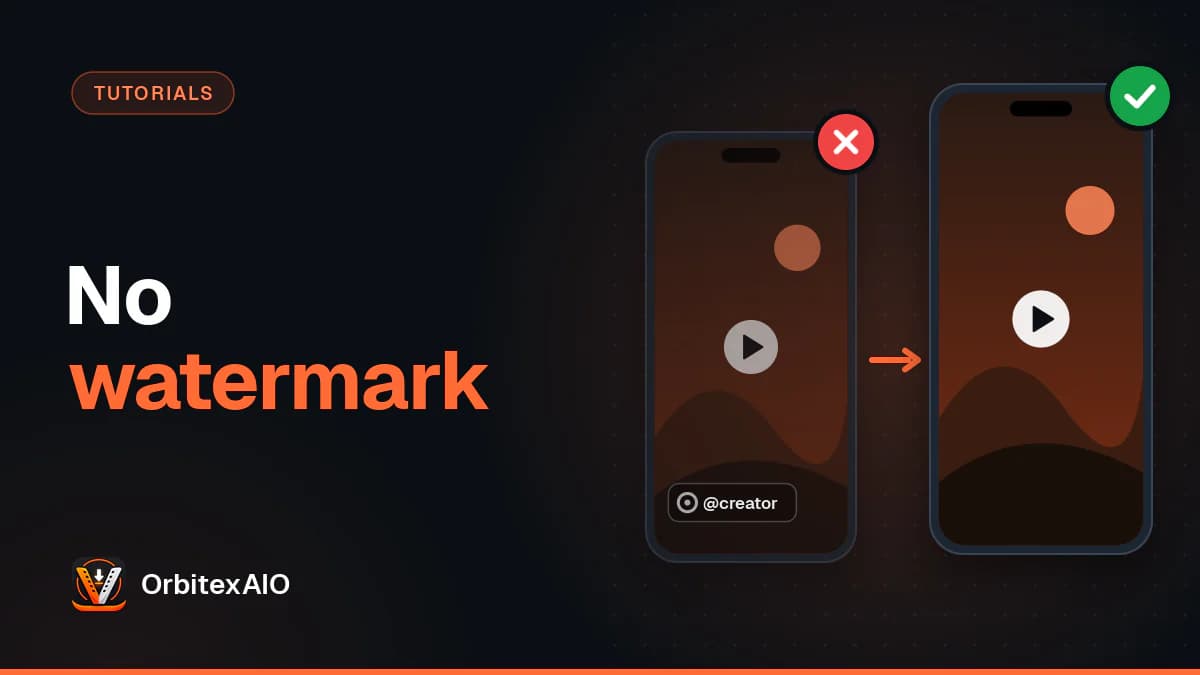
To save a TikTok video to your gallery on Android, open the video, tap the Share arrow on the right, and tap Save video. The clip lands in your phone's gallery within a few seconds, but it carries TikTok's watermark, and the option only appears if the creator allows downloads. If you need a clean copy, or the button is missing on your own post, there are other routes, covered below.
Quick answer
- Open the TikTok video you want to keep.
- Tap the Share arrow on the right side of the screen.
- Tap Save video in the bottom row of options.
- Wait for the progress circle to finish.
- Open Google Photos or your phone's Gallery app and look in the Videos or recent items view.
Method 1: Use TikTok's built-in "Save video" option
Try this first. It needs nothing beyond the TikTok app and respects the creator's settings.
Steps
- Open TikTok and play the video.
- Tap the Share arrow on the right-hand side, below the like and comment icons.
- In the sheet that slides up, find Save video. It usually sits in the lower row, next to options like Duet, Stitch and Add to Favorites. Swipe that row sideways if you don't see it.
- Keep the app open until the progress indicator finishes. The video is then in your gallery.
Note: Note
The first time you do this, Android may ask TikTok for permission to access photos and videos. Allow it, or the save will fail silently or show an error.
Add to Favorites and Save video sound similar but do very different things: one bookmarks the clip inside TikTok, the other puts a file on your phone. We explain the gap in TikTok saved videos vs real copies.
What you get
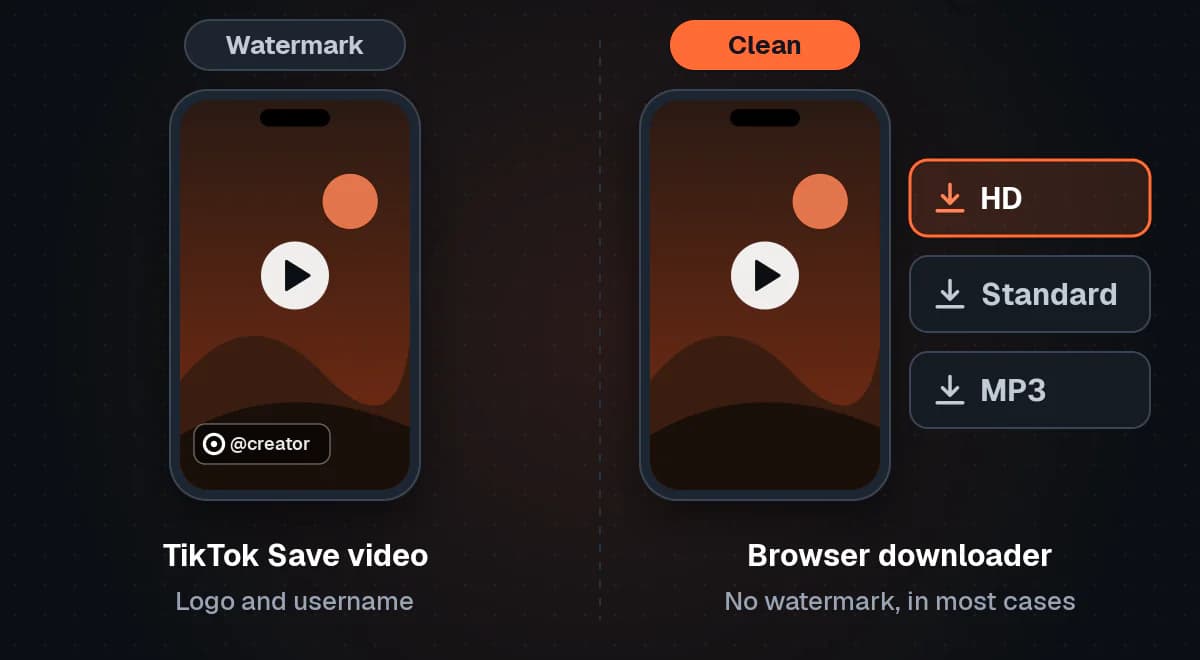
- A watermark. TikTok adds its logo and the creator's username to every video saved this way. The mark moves around the frame, and it credits the creator wherever the file travels.
- The video with its original sound, as an MP4 file. See how MP4 compares with WebM for more on the format.
- Nothing, if downloads are off. Creators can switch off downloads for their videos. When they do, Save video disappears from the share sheet or shows as unavailable.
Where TikTok saves the file
On most Android phones the video is written to the shared camera folder (usually DCIM/Camera) or a folder named after TikTok. That's why it appears straight away in Google Photos and in gallery apps from Samsung, Xiaomi, OnePlus and others. The exact folder varies by phone and app version, so if you can't spot it, jump to the section on finding your files.
Method 2: Save a TikTok video without the watermark, using your browser
The watermark is fine for sending a clip to a friend. It's a problem when you want to repost your own video to Instagram Reels or YouTube Shorts, because Instagram has said it recommends fewer Reels that carry another app's watermark, and a logo from a rival platform looks out of place on YouTube too.
In those cases, a browser-based downloader like OrbitexAIO can fetch the version of the video that TikTok serves without the logo. No install is needed, which matters: many "TikTok video saver" apps are ad-heavy and ask for more permissions than they need.
Steps
- In TikTok, open the video and tap the Share arrow.
- Tap Copy link. On Android this copies a short link that looks like vm.tiktok.com/... or vt.tiktok.com/... (our guide to finding a TikTok video URL covers both link forms).
- Open Chrome (or Samsung Internet, Firefox, Edge or any other browser on your phone).
- Go to our TikTok downloader. It works with the short links from the app as well as full tiktok.com/@username/video/... addresses, and you don't need an account.
- Long-press the input box, tap Paste, and start the lookup.
- Pick the format you want. You'll typically see an HD and a Standard version without the watermark, plus an MP3 of the audio. If TikTok only makes a watermarked copy available for that video, we offer it and label it as watermarked, so you know what you're getting.
- Tap the download button. Chrome shows a download bar at the bottom of the screen; tap Open when it finishes, or find the file later in the Downloads folder.
Things to know about quality
"HD" means the best version TikTok itself serves for that post. No downloader can add detail that was never uploaded, so be wary of any site promising 4K from a TikTok link. The same limit explains why some videos have no 1080p option at all.
What this method can't do
- Photo-mode posts. Slideshows made from still images, with music on top, aren't stored as a video file. There's nothing to download as an MP4.
- Private or friends-only videos. A downloader sees TikTok the way a logged-out visitor does. If the video isn't public, it can't reach it. For the details, see how OrbitexAIO works.
- LIVE broadcasts. A live stream isn't a finished video file while it's running.
A missing Save button is often a creator's choice. See the section on whether it's okay to save TikTok videos before using this method on someone else's post.
Method 3: Save your own TikTok videos (before or after posting)
Creators need their own copies for backups and cross-posting. TikTok offers a few ways, and our roundup on downloading your own social media videos covers the official routes elsewhere.
Save a copy automatically when you post
- Record or upload your video and go through editing as normal.
- On the final post screen (where you write the caption), look for More options or a settings section near the bottom.
- Turn on the toggle for saving the post to your device. The wording can differ between app versions, but it refers to saving to the device or phone.
- Post the video. TikTok writes a copy to your phone's storage as it uploads.
This copy comes straight from your editing session. It's the cleanest version you can get from the app.
Save a video you've already posted
- Go to your profile and open the video.
- Tap the Share arrow (on your own posts it may be the three-dot menu).
- Tap Save video.
If the option is missing on your own post, check your downloads setting. Go to Profile, open the menu (three lines, top right), tap Settings and privacy, then Privacy, and look for Downloads. If it's off, TikTok also hides the option from you. You can turn it on, save your video, and switch it off again.
Remember that saving a posted video this way adds the watermark, even for your own content. If you want a clean copy of a public video you posted earlier and don't have the original file, paste its link into OrbitexAIO as in Method 2: it works on your own public videos too.
What about drafts?
Drafts are stored inside the TikTok app on your phone rather than published, so there's no simple Save video button in the drafts screen. The common workaround:
- Open the draft and go to the post screen.
- Set Who can watch this video to Only me (private).
- Turn on the save-to-device toggle described above.
- Post it. Nobody else sees it, and a copy lands in your gallery.
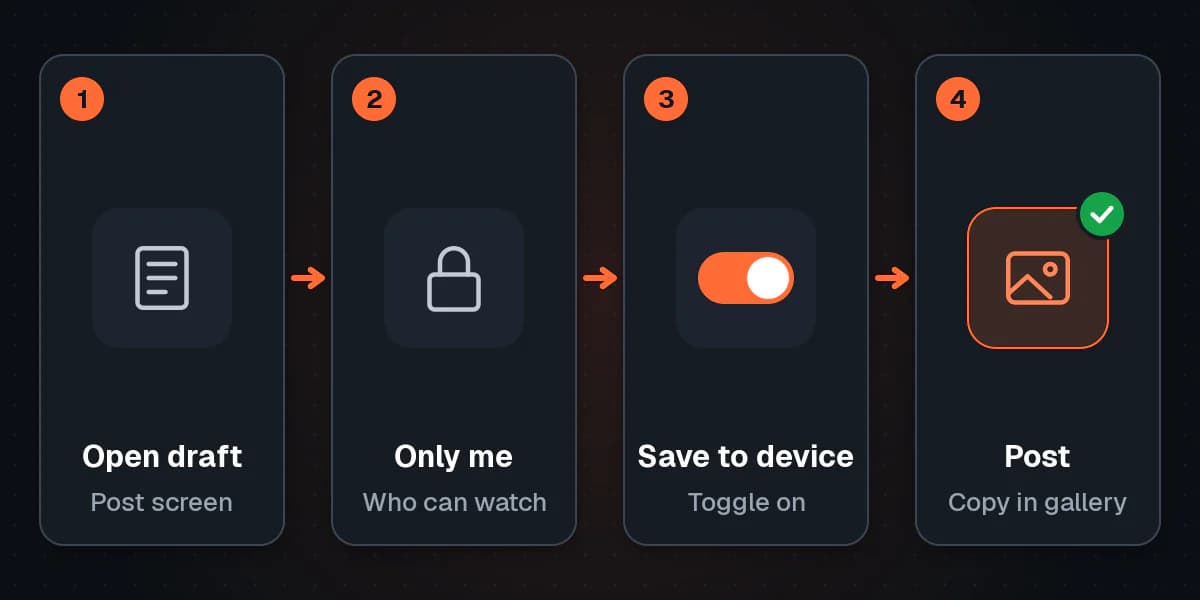
You can delete the private post afterwards if you don't need it on TikTok.
Method 4: Find the saved video in your Gallery, Google Photos or Files
A saved video often just went to a folder you don't usually check.
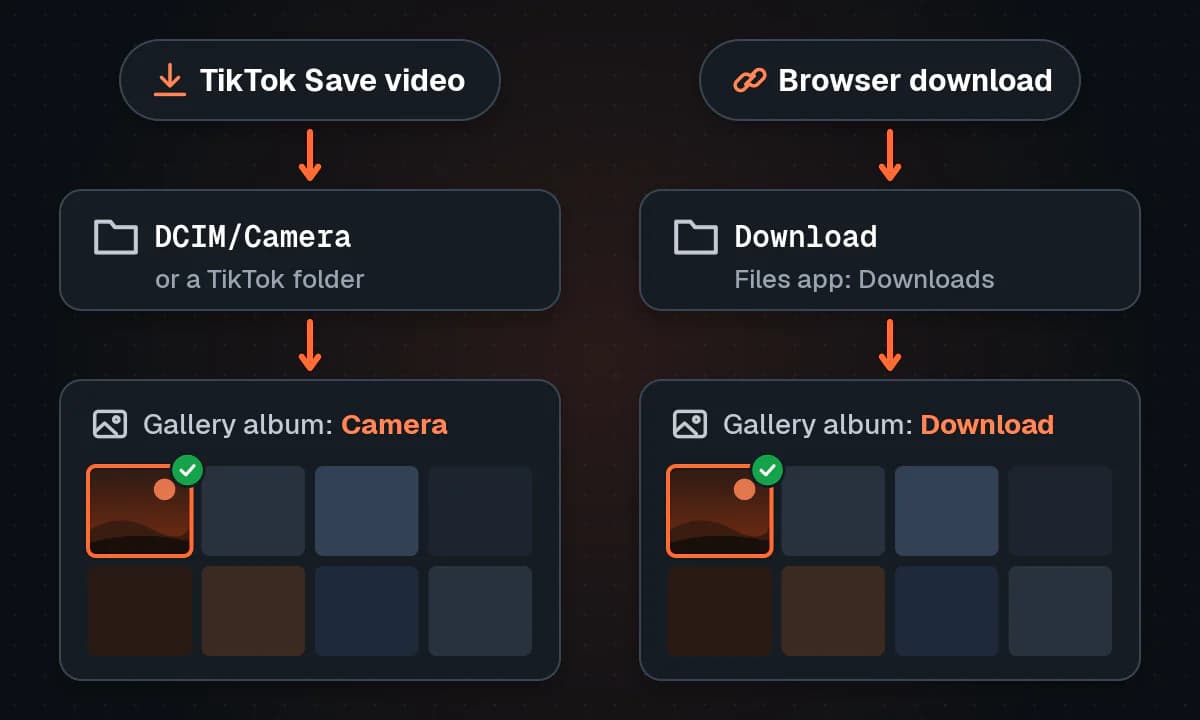
If you used TikTok's Save video
- Open Google Photos and check the top of the Photos tab, sorted by date added.
- Or open your phone's own Gallery app (Samsung Gallery, Xiaomi Gallery and so on) and check Albums. Look for Camera, TikTok, or Videos.
- Still nothing? Open Files by Google or your phone's file manager (often called My Files on Samsung) and browse DCIM, then Camera, or search for "TikTok".
If you downloaded through Chrome or another browser
- Open Chrome, tap the three-dot menu, and tap Downloads. Your file is listed at the top.
- Or open Files by Google and tap Downloads.
- The file is an MP4 (or MP3 for audio) with a name based on the video.
Most gallery apps show the Download folder as its own album. In Google Photos, look under Library (or Collections, depending on your version) and find the device folders section. If the Download folder isn't backed up or visible, you can turn it on there.
Comparison: which method should you use?
| Method | Watermark | Quality | Needs an extra app | Works on other people's videos (when allowed) |
|---|---|---|---|---|
| TikTok "Save video" | Yes, TikTok logo and username | Good, compressed by TikTok | No, just TikTok | Yes, if the creator allows downloads |
| Browser-based downloader | No, in most cases (labelled if not) | HD or Standard, as served by TikTok | No, uses your browser | Yes, public videos only; use with permission |
| Save to device when posting (own videos) | No | Best available, from your edit | No, just TikTok | No, your own posts only |
| "Only me" draft workaround (own videos) | No | Best available, from your edit | No, just TikTok | No, your own drafts only |
Troubleshooting: when saving a TikTok video doesn't work
The "Save video" option is missing
- The creator turned off downloads. This is the most common reason. It's their decision, and the respectful thing is to leave it there, or ask the creator for the file.
- It's your own video and your downloads setting is off. Check Settings and privacy, then Privacy, then Downloads.
- The account belongs to a younger user or the post is restricted. TikTok limits downloads for teen accounts and some content types.
- You're looking in the wrong row. Swipe the lower row of the share sheet sideways.
"Download failed" or the progress circle freezes
- Switch between Wi-Fi and mobile data, or move somewhere with a stronger signal.
- Update TikTok from the Google Play Store.
- Clear TikTok's cache: in the app, go to Settings and privacy, then look for the option to free up space or clear cache.
- Check that TikTok has permission to access photos and videos: Android Settings, Apps, TikTok, Permissions.
- Restart your phone and try again.
For a failed browser download, copy the link again and reload the page.
The video saved but doesn't appear in the gallery
- Give the gallery a minute. Media indexing on Android isn't always instant.
- Check the Download album or Downloads folder, especially for browser downloads.
- Open Files by Google and search for the file by type (Videos) and sort by newest.
- If you use a third-party gallery app, confirm it has access to all folders, not just the camera.
Not enough storage
A one-minute HD TikTok is usually a few megabytes to a few tens of megabytes, so a "storage full" error means the phone really is almost full. Open Files by Google and use its Clean suggestions, clear TikTok's cache, or delete old downloads you no longer need.
It's a photo post, not a video
Photo-mode slideshows are a set of images with music, not a video file. You can't save them as an MP4 with a downloader. Inside TikTok, you may be able to save the individual photos from the share sheet if the creator allows it, or you can use Android's screen recorder (in Quick Settings) for personal viewing.
The video is private or friends-only
Only people the creator has approved can watch these, and no legitimate tool can get around that. If it's a friend's video, ask them to send you the file directly.
Is it okay to save TikTok videos?
Saving a video for personal viewing, using TikTok's own Save video button, is exactly what the feature is there for. The watermark keeps the creator's credit attached if the clip gets shared.
It gets less clear when you strip the watermark or download a video the creator chose not to make downloadable. A few ground rules:
- Your own content is fair game. Saving your videos to back them up or cross-post them to Reels and Shorts is the most legitimate use there is.
- Get permission for anyone else's content before reposting, editing or using it commercially. A quick DM is usually enough, and many creators say yes if they're credited.
- Respect "Allow downloads" being off. A creator who has switched it off is telling you they don't want copies circulating. Don't use a workaround to overrule that without asking.
- Never repost someone's video as your own. Removing the watermark doesn't remove their copyright, and TikTok, Instagram and YouTube all act on reports of reposted content.
Warning: Important
Only download media you own or have permission to use.
FAQ
How do I save a TikTok video to my gallery without posting it?
For your own clip, set the post to Only me, turn on the save-to-device toggle in the post screen's options, and publish. It saves to your gallery and stays invisible to everyone else.
How do I save a TikTok video in gallery without the watermark?
Copy the video's link from TikTok's share sheet, paste it into a browser-based downloader, and choose a version without the watermark. For your own videos, the save-to-device toggle when posting also gives you a clean copy.
Why can't I save some TikTok videos?
Usually the creator has turned off downloads. It can also happen when a video is private, friends-only, restricted, or a LIVE broadcast.
Where do saved TikTok videos go on Android?
Videos saved inside TikTok usually go to the camera folder (DCIM/Camera) or a TikTok folder, so they show in Google Photos and your gallery. Browser downloads go to the Downloads folder.
Can I save a TikTok video as MP3?
TikTok doesn't export audio files. A downloader that offers an MP3 of the audio can extract the sound for you. Only use the audio if you have the rights to it.
Does the creator know when I save their TikTok video?
Creators don't get a list of who saved their video. Their analytics show overall engagement numbers, not individual names.
Can I download TikTok videos on Android without an app?
Yes. A browser-based downloader works in Chrome or any other Android browser, so you don't need to install a separate TikTok video saver app. OrbitexAIO handles TikTok and many other platforms the same way.
Conclusion
For a quick personal copy, TikTok's Share arrow and Save video are all you need, and the file lands in your gallery in seconds. When you need a clean copy, for your own cross-posting or for content you have permission to use, you can save it without the watermark in your browser, or use TikTok's save-to-device toggle, without an extra app. If something goes wrong, the fix is almost always a setting, a permission, or a folder you haven't checked yet. And when a creator has switched downloads off, the best option is to ask them.