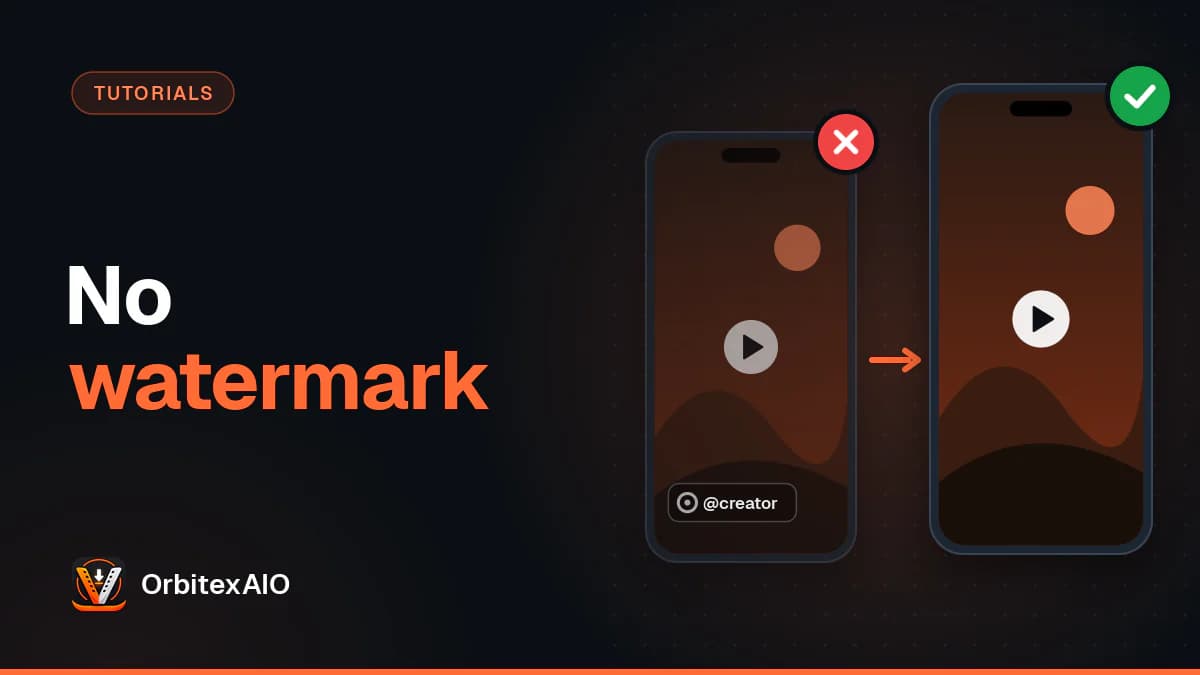
To download a TikTok video without the watermark, copy the video's link from TikTok, paste it into a link-based downloader in your browser, and pick a version marked as having no watermark. Nothing gets erased or cropped along the way: for almost every video TikTok keeps a clean copy for playback, and the stamp only goes onto the file its own Save video button hands out. It works the same on Android, iPhone and desktop, with no app to install.
Quick answer
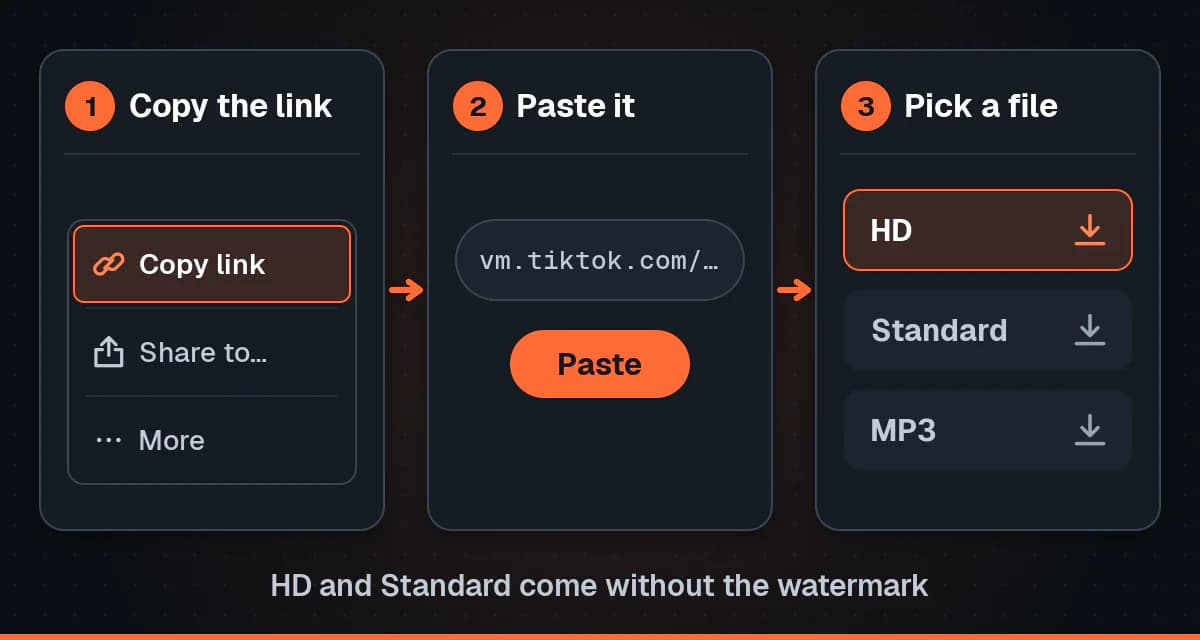
- In TikTok, tap the Share arrow on the video and choose Copy link. On a computer, copying the address bar works too.
- Open our TikTok downloader in any browser. No account is needed.
- Paste the link. Short vm.tiktok.com or vt.tiktok.com links and full tiktok.com/@user/video/ addresses are both fine.
- Choose HD or Standard. Both come without the watermark, and each shows its real file size.
- Save the MP4 and check it plays before you share or edit it.
This guide is about getting a clean file straight from the link. If you already have a watermarked copy and want to know whether cropping, blurring or an eraser app can fix it, that is a different job, and we compare those options in removing a watermark from a file you already have.
Why TikTok videos have a watermark
When you tap Save video in the TikTok app, you get a file with two things burned into the picture: the TikTok logo and the creator's @username. They are part of the pixels, not a layer you can switch off, so they travel with the file into every chat, gallery and upload that follows.
The stamp does two jobs for TikTok. It credits the person who made the video, so a clip passed around in a group chat still says who filmed it. And it advertises TikTok everywhere the video lands, which is the part that matters most to the platform. A clip that goes viral on another app with a TikTok logo in the corner is free promotion.
The design makes the mark hard to get rid of after the fact:
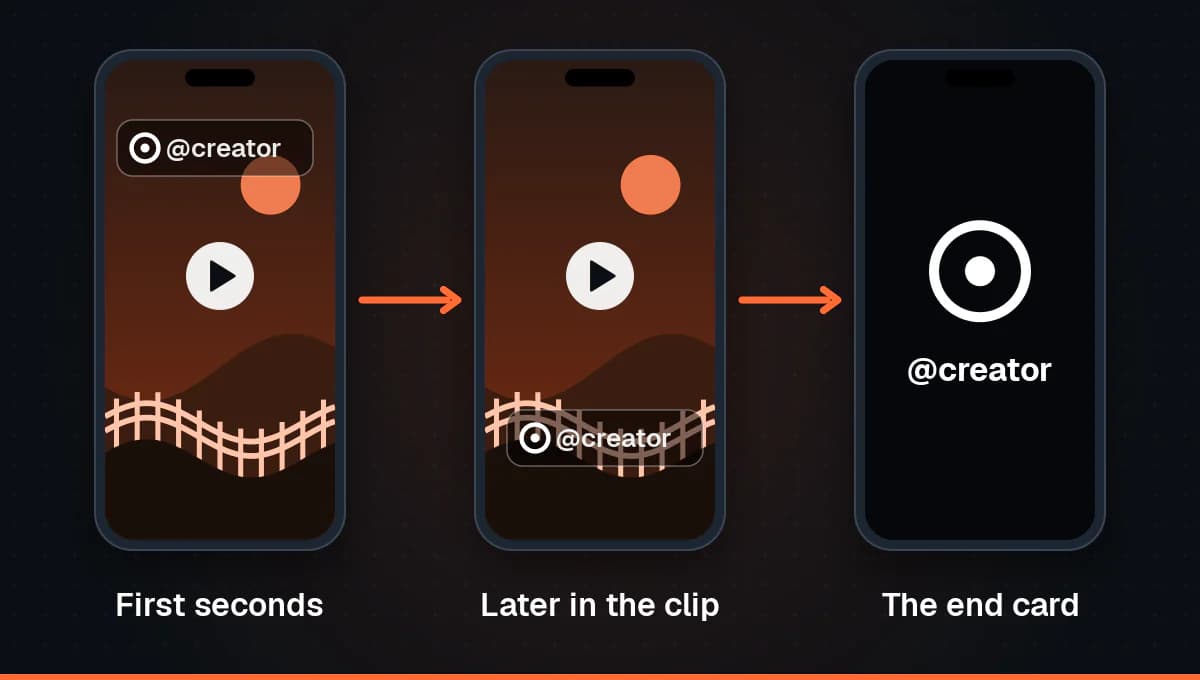
- It moves. The logo and username usually sit in one corner for the first part of the clip and then jump to another position, so a single crop or blur patch does not cover both.
- It sits on top of the action. The positions overlap areas where faces, captions and hands often are, which is why cropping it out tends to cut into the video itself.
- There is often an end card. Many saved videos finish with a short branded screen showing the TikTok logo and the username, a couple of seconds you have to trim away if you do not want it.
None of this is a flaw in your phone or a setting you missed. It is simply what TikTok's save button produces, for everyone's videos, including your own.
How a no-watermark download works
Watch any video inside the TikTok app and look at the corners. There is no bouncing logo. The app plays a clean version, and the watermark is added to the copy made for saving and sharing. That clean rendition already exists on TikTok's servers before anyone downloads anything.
A downloader like ours does not remove anything. It reads the public video behind the link and asks for the versions TikTok serves, which for most videos include the clean renditions alongside the watermarked one. Nothing is edited, cropped, blurred or upscaled on our side. You get the file TikTok serves, at the size TikTok serves it. If you want the longer version of what happens between paste and download, see how our downloader handles a link.
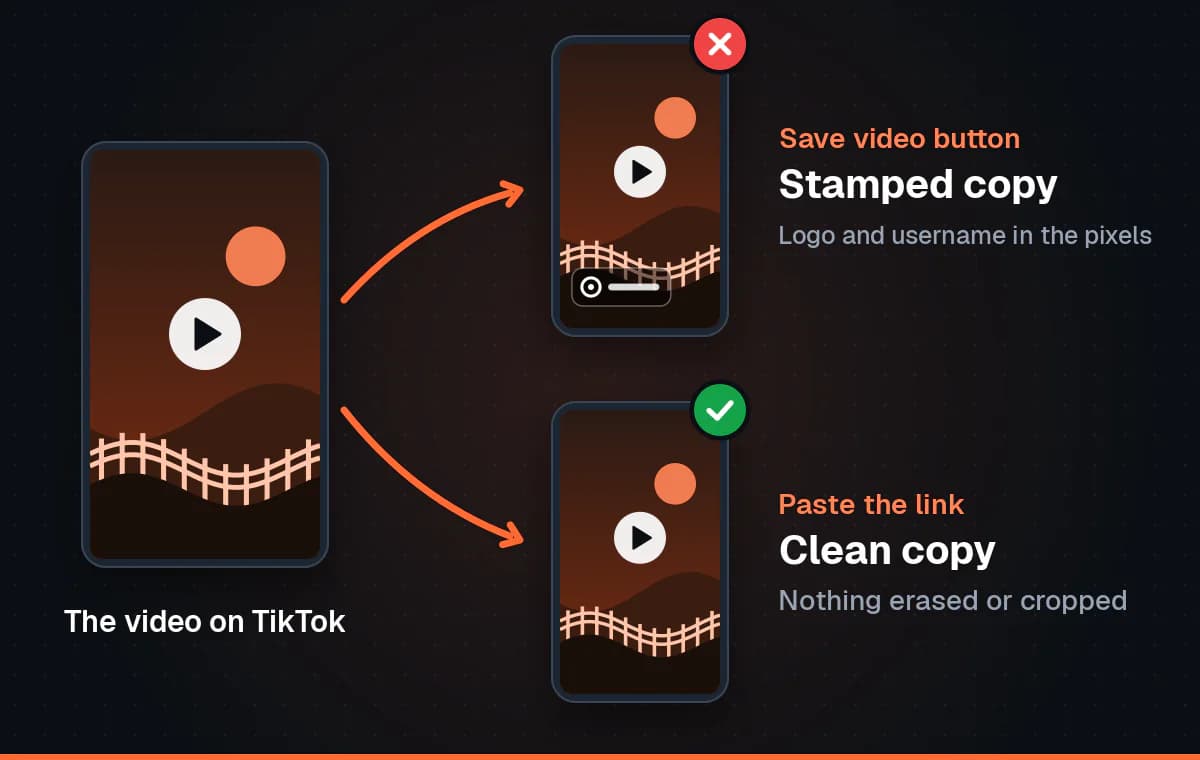
That is also why this route beats watermark removers on quality. An eraser app has to guess what was behind the logo and paint it in, then encode the whole video again. Asking for the clean copy skips both steps, so the picture is exactly what TikTok stores.
HD and Standard
For most videos you will see two clean versions. HD is the rendition with more data per second, so it keeps more fine detail. Standard is lighter and quicker to send over a slow connection. Both are MP4 files with the original sound. We show each one's real file size, but we do not print a pixel resolution for TikTok, because we would be guessing. If the labels puzzle you, our guide to what the HD label really means on TikTok goes deeper.
Note: Note
Sometimes TikTok only serves a watermarked copy of a video. When that happens we still offer it, clearly labelled as watermarked, rather than passing it off as clean.
Step by step on Android, iPhone and desktop
The process is the same idea everywhere: copy, paste, choose, save. What changes is where the link comes from and where the finished file lands.
On Android
- Open the video in the TikTok app and tap the Share arrow on the right.
- Tap Copy link in the top row of the sheet.
- Open Chrome, Samsung Internet, Firefox or whichever browser you use, and go to the OrbitexAIO TikTok page.
- Long-press the input box, tap Paste, and start the lookup.
- Tap HD for the best clean copy, or Standard if you want a smaller file.
- When the browser finishes, the MP4 is in your Downloads folder. Open it from the notification or from your file manager.
Browser downloads on Android do not always show up in the gallery straight away. If yours seems to be missing, the walkthrough on getting the file into your Android gallery covers the folders to check.
On iPhone and iPad
- In TikTok, tap the Share arrow on the video, then Copy link.
- Open Safari and go to the OrbitexAIO TikTok page.
- Tap the input box, then tap it again and choose Paste.
- Start the lookup and choose HD or Standard.
- Confirm the download if Safari asks. The file goes to the Downloads folder in the Files app.
- To put it in Photos, open the file in Files, tap the share icon and choose Save Video.
That last step trips people up, because Safari does not write to Photos on its own. Our separate guide on moving a TikTok download into the Photos app walks through each screen, including what to do if the download arrow never appears.
On a Windows PC, Mac or Chromebook
- Open the video on tiktok.com. You do not need to be logged in for public videos.
- Click the address bar and copy the full URL. It looks like tiktok.com/@username/video/ followed by a long number.
- Open the TikTok page on OrbitexAIO in a new tab and paste the link.
- Pick HD or Standard and click to download.
- Find the MP4 in your browser's downloads list or your computer's Downloads folder.
A link copied on your phone works on a computer too. Send it to yourself in a note or message, then paste it on the desktop, which is handy when you plan to edit the clip in desktop software.
For creators cross-posting their own clips
The strongest reason to want a TikTok without the watermark is also the simplest: it is your video, and you want to post it somewhere else. Plenty of creators film once and publish the same clip to TikTok, Instagram Reels and YouTube Shorts.
The watermark works against you there. Instagram has said it may recommend fewer Reels that are visibly watermarked from other apps, so a clip carrying the TikTok logo can reach fewer people than a clean one. Beyond any single platform's rules, a rival app's logo in the corner simply looks like a repost, and viewers scroll past reposts.
- Best: keep your original export. The file from your camera or editor has had the least compression. Save it before you post, or turn on TikTok's option to save a copy to your device when you publish.
- Next best: download your public post by its link. If the original is gone, pasting your own video's link into our tool gets you TikTok's clean HD copy, ready for Reels or Shorts.
- Avoid: saving with the app's button and cropping. You lose part of the frame and still risk catching the moving logo.
Once your video is on Reels, the same link-based approach gets it back if you ever need it, through our Instagram downloader. And if you used a track from TikTok's sound library, check whether it is cleared on the other platform before you post, since in-app music is often licensed for one app only.
Every way to get a clean TikTok, compared
| Method | Watermark | Quality | Effort | Original edited? |
|---|---|---|---|---|
| TikTok's in-app Save video | Yes, logo and username, plus an end card on many videos | Compressed copy for sharing | Lowest, two taps | Yes, the stamp is burned in |
| Our downloader, HD | No, unless TikTok only serves a watermarked copy, which we label | The higher bitrate copy TikTok serves | Low, copy and paste the link | No, served as TikTok stores it |
| Our downloader, Standard | No | Same video, lower bitrate, smaller file | Low, copy and paste the link | No |
| Screen recording | None added, but on-screen buttons and captions are captured | Weakest, limited by your screen and a second encode | Medium, then trimming and cropping | Yes, it is a new recording of the display |
| Watermark remover apps | Covered up, often leaving a smudge where the logo was | Lower, re-encoded after the patch | High, and many apps are ad-heavy | Yes, pixels are painted over |
Troubleshooting
Only a watermarked version is offered
For a small number of videos TikTok does not serve the clean renditions, only the stamped one. We show you that copy with a watermarked label instead of pretending otherwise. Trying again later can help for a video posted minutes ago, since processing may still be running. If it is your own video, your original export is the clean copy to use.
The link is not accepted
- Check what you copied. A profile link, a sound page or a hashtag page is not a video. The link needs to point at a single post.
- Try the full URL. If a short link will not resolve on your network, open it in the browser, let it redirect, and copy the address you land on.
- Paste the whole share text if that is easier. The link inside is picked out, but a truncated link from a chat preview will not work.
It is a photo post
Photo-mode posts are slideshows of still images with a sound on top. There is no video file behind them, so there is nothing to download as an MP4, with or without a watermark, and we do not support them. If you only want the soundtrack of an ordinary video, our guide to saving TikTok audio as MP3 covers that.
The video is private or friends-only
We see TikTok the way a logged-out visitor does. Private, friends-only and login-restricted videos are not served to that visitor, so they cannot be downloaded here, and no legitimate tool can get around it. The same goes for live broadcasts while they are running. For a friend's private clip, ask them to send you the file.
"Save video" is missing because the creator disabled downloads
Creators can switch off downloads for their account or a single post, and the Save video button disappears for everyone else. That is a clear signal they do not want copies of that video going around. Respect it: message the creator and ask, and most will tell you on what terms. If it is your own video and the button is gone, look in TikTok's Settings and privacy, then Privacy, then Downloads.
Warning: Important
Removing a watermark does not remove anyone's rights. Only download media you own or have permission to use, credit the creator by name whenever you share their work, and never repost someone else's video as your own.
Frequently asked questions
Is downloading a TikTok without the watermark free?
Yes. Our tool runs in the browser with no sign up, no app and no account, on phones and computers.
Does removing the watermark lower the quality?
Not with this method, because nothing is removed. You download the clean rendition TikTok already stores, so the picture is the same one the app plays. Quality only drops when a tool paints over the logo and re-encodes the video.
Can I download a TikTok without watermark in HD?
Yes, whenever TikTok serves an HD rendition for that video. HD is the higher bitrate version, not a promise of a specific resolution, and it can never be sharper than what the creator uploaded.
Will the creator know I downloaded their video?
Downloading through a browser does not send the creator a notification. That does not change what you are allowed to do with the file, so ask before reposting and credit them when you do.
How do I save my own TikTok without the watermark?
Turn on TikTok's save-to-device option on the posting screen before you publish, which keeps a clean copy from your edit. For a video already posted publicly, paste its link into our downloader and choose HD.
Does it work on slideshows and lives?
No. Photo-mode slideshows have no video file, and a live broadcast is not a finished video while it is running. A clip the creator posts afterwards is an ordinary video and works as normal.
Do I need to install a TikTok downloader app?
No. Any modern browser does the whole job. Many apps sold for this are wrappers around a website with more ads and more permissions than they need.
Conclusion
A TikTok without the watermark is not a video with the logo scrubbed off. It is the clean version TikTok already keeps, fetched by its link instead of saved through the app's button. Copy the link, paste it into a no-watermark TikTok downloader, choose HD or Standard, and you have an MP4 that looks exactly like the video in the app. Use it for your own cross-posting, or for clips you have permission to use, and keep the creator's name attached wherever it goes.