When a download offers you MP4 or WebM, it is offering you two different boxes. What matters is partly the box and mostly what has been put inside it.
A container is a box, not a format
MP4 and WebM are container formats. A container holds a compressed video track, one or more audio tracks, and the timing information that keeps them in sync - plus extras like subtitles and chapter markers. The actual compression is done by a codec, and the codec is what determines quality, file size and whether your device can play it smoothly.
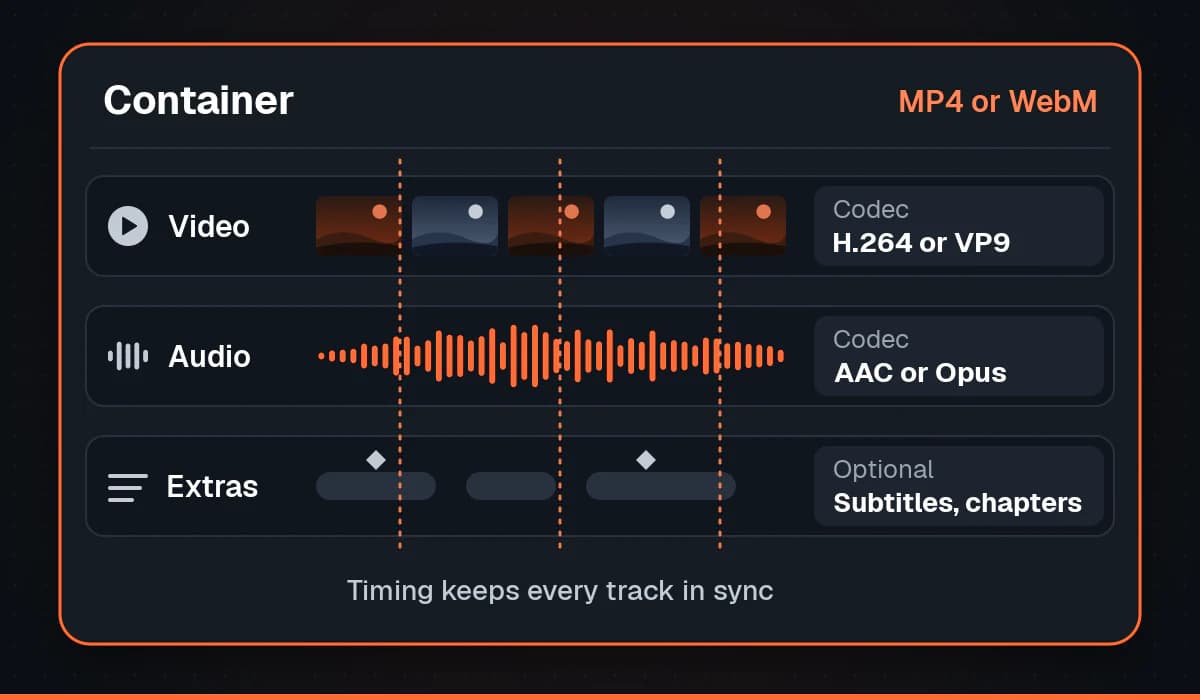
This is why "MP4" tells you less than people assume. Two MP4 files can contain completely different codecs and behave completely differently.
What is usually inside each
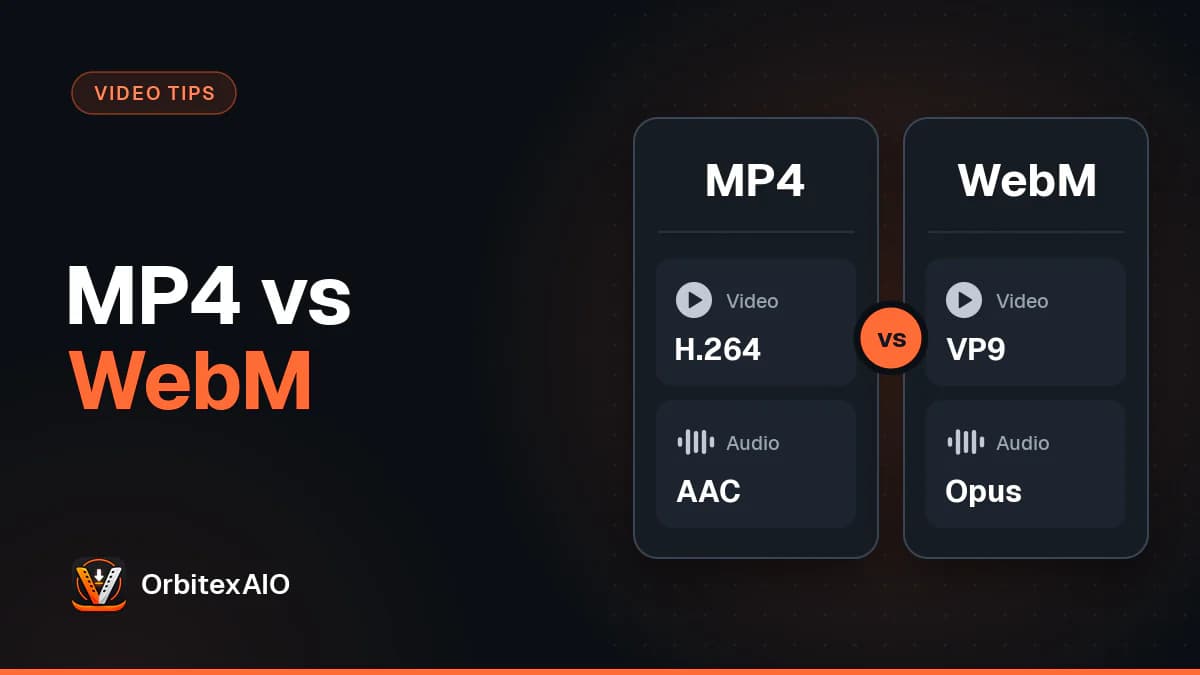
- MP4 most often carries H.264 video with AAC audio. Newer files may use H.265 (HEVC) instead, which compresses better but is less universally supported.
- WebM carries VP9 or AV1 video with Opus or Vorbis audio. It was built as an open, royalty-free format for the web.
VP9 and AV1 are genuinely more efficient than H.264: at a given quality level they produce a noticeably smaller file, and AV1 more so than VP9. That efficiency is why platforms serve them to browsers that can handle them.
Compatibility, which is the real difference
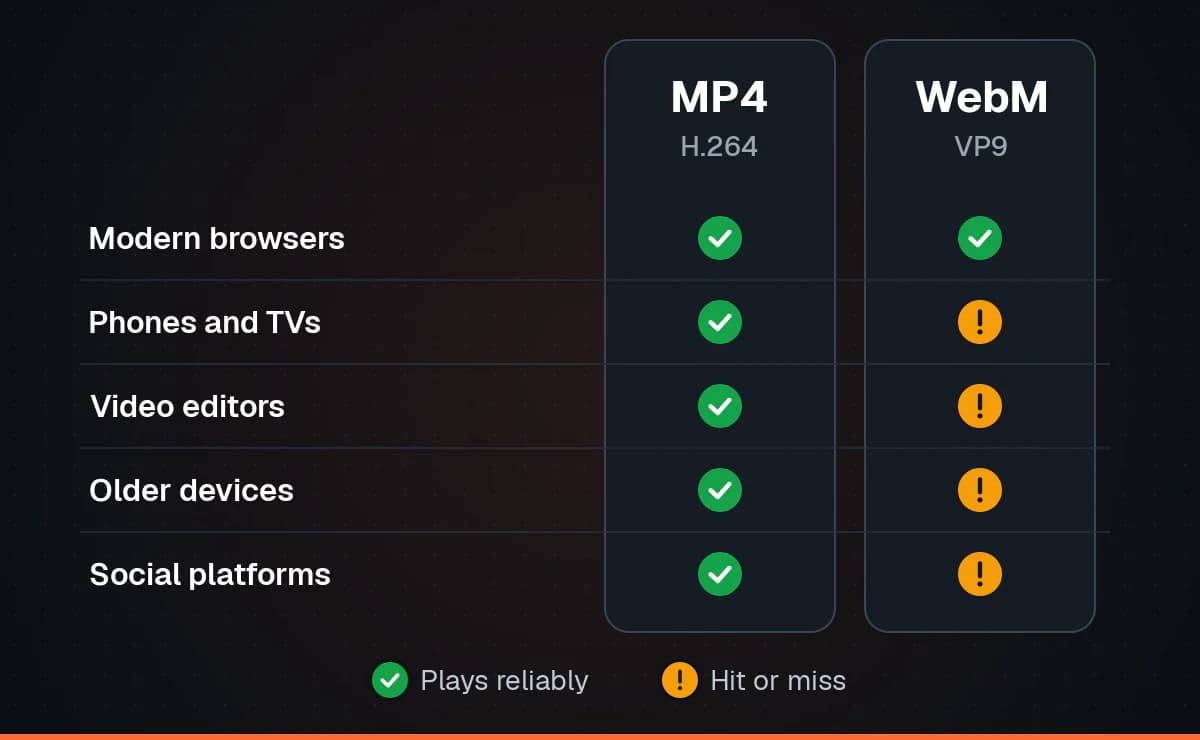
H.264 in an MP4 is the closest thing video has to a universal format. Phones, televisions, editing software, messaging apps, ageing laptops and hardware decoders all handle it without complaint, and hardware decoding matters because it is what keeps a phone from getting hot and draining its battery during playback.
WebM support is broad in modern browsers and increasingly common in hardware, but it is patchier once you leave the browser. Video editors, older devices and some social platforms will refuse a WebM or silently re-encode it. If you drop a WebM into an app and it will not import, this is nearly always why.
Note: Note
Changing the file extension does nothing. Converting between containers means rewrapping or re-encoding the streams inside, and a rename does neither.
Which should you choose?
Pick MP4 unless you have a reason not to. It plays on the widest range of devices, imports cleanly into editing software, and is what messaging apps and social platforms expect. The slightly larger file is a small price for not troubleshooting playback.
Pick WebM when the file is for the web and you care about size - a background video on a page, for instance - or when the WebM version is the only one available at the resolution you want, which does happen because some platforms only encode their highest tiers in newer codecs.
If you need to convert
Re-encoding from one codec to another always loses some quality, because you are compressing something that has already been compressed. Sometimes the streams can simply be moved into a different container without touching the video data, which is lossless, but that only works if the target container supports that codec. Where you have a choice, download the format you need rather than converting after the fact.