To turn a TikTok into an MP4, copy the video's link from the Share menu, paste it into a TikTok downloader in your browser, and save the MP4 it offers. There is nothing to convert: TikTok already delivers its videos as MP4 files, so the best result is the file TikTok serves, downloaded as it is. Anything that re-encodes it along the way can only make it worse.
Quick answer
- Open the video in TikTok and tap the Share arrow.
- Tap Copy link. You get a short link such as vm.tiktok.com/... or vt.tiktok.com/...
- Open any browser on your phone or computer and go to our TikTok downloader.
- Paste the link and start the lookup.
- Choose HD or Standard for the MP4, or the MP3 if you only want the sound.
- Save the file. It lands in your Downloads folder, or in Files on an iPhone.
Is a TikTok already an MP4?
Yes, typically. When you watch a TikTok, the app and the website stream a video file, and that file is an MP4. So when people search for a "TikTok MP4 converter" or ask how to convert TikTok to MP4, what they actually need is a way to get that existing file onto their device. The job is downloading, not converting.
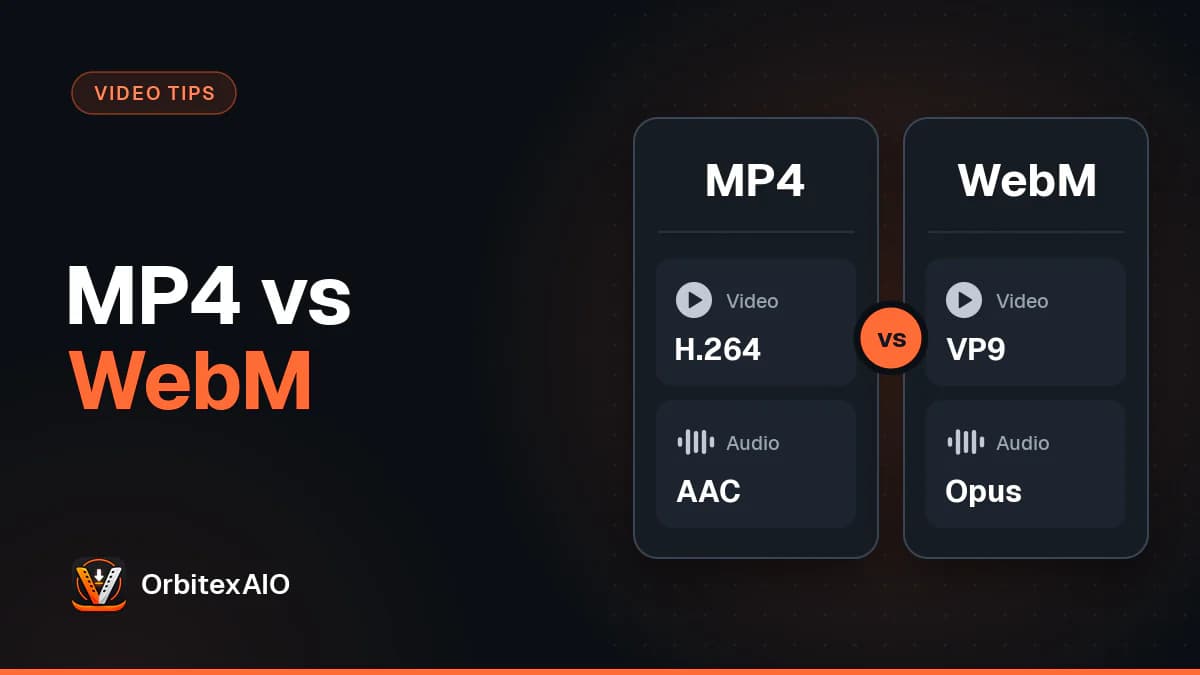
MP4 is a container: a box that holds a compressed video track, an audio track, and the timing that keeps the two in sync. The compression itself is done by a codec. TikTok's video track is typically H.264, the most widely supported video codec there is, and on some videos and devices it is HEVC (also called H.265), which squeezes the same picture into fewer bytes. The sound is typically AAC, the standard audio codec for MP4. If you want the longer version of what a container is and why it matters, read what actually sits inside an MP4 or a WebM.
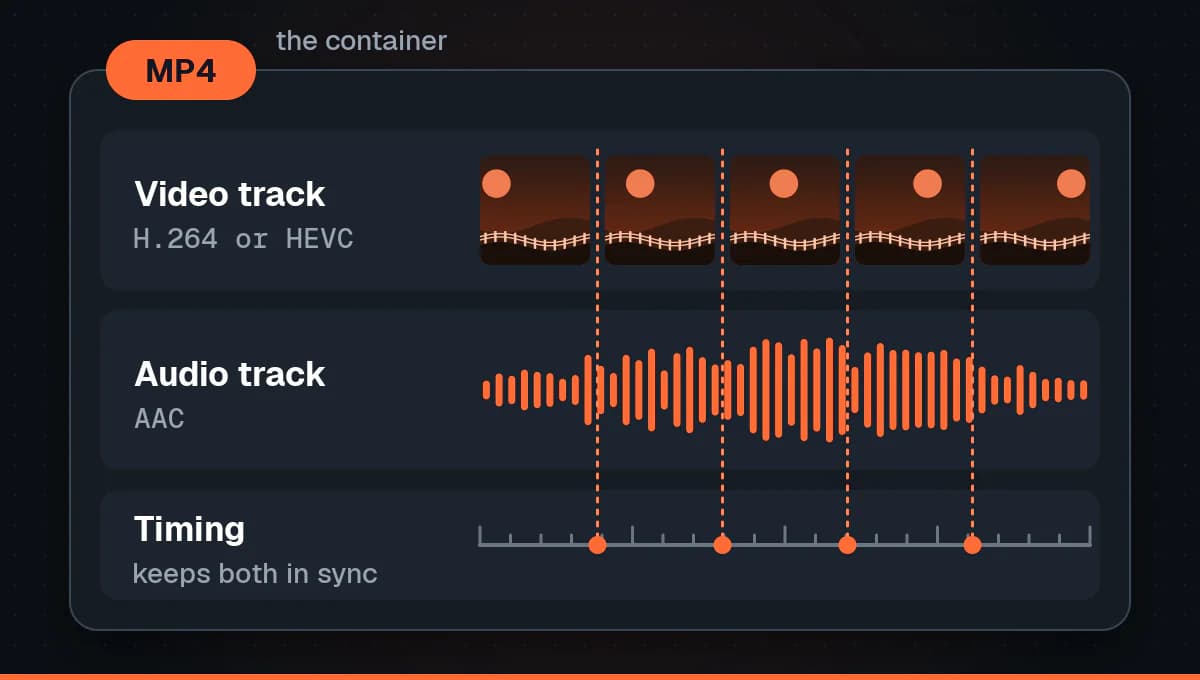
This matters for one practical reason. A tool that fetches the file TikTok serves gives you exactly what TikTok stored, bit for bit. A tool that "converts" has to decode that video and compress it again, and every round of compression throws detail away. Our TikTok MP4 downloader does the first thing. It reads the link, finds the MP4 files TikTok makes available for that post, and hands one of them to your browser. Nothing is re-encoded and nothing is upscaled.
Note: Note
Renaming a file to .mp4 does not convert anything, and neither does a "converter" that only changes the name. If the file you downloaded is already an MP4, it is already in the most compatible format for phones, editors and social apps.
How to save a TikTok link as an MP4
The process is the same on every device: get the link, paste it, pick a file. Only the details of copying and finding the result change.
First, copy the TikTok link
In the app, tap the Share arrow on the right of the video and choose Copy link. That gives you a short redirect link on vm.tiktok.com or vt.tiktok.com. On a computer, the address bar shows the full form instead: tiktok.com, the creator handle with an @, then /video/ and a long number. We accept both, and pasting the whole share message with its text around the link works too. If you are unsure which link you have, our guide on where TikTok hides the link walks through both forms.
On an Android phone
- Copy the link from the TikTok app as above.
- Open Chrome, Samsung Internet, Firefox or any other browser.
- Go to the TikTok downloader, long-press the input box and tap Paste.
- Start the lookup and wait a moment for the formats to appear.
- Tap the MP4 you want. The browser shows a download notice when it finishes.
- Open the file from that notice, or later from the Downloads folder in Files by Google or My Files.
Browser downloads go to Downloads rather than the camera folder, so they may not show up in your gallery straight away. We cover that, and TikTok's own save options, in getting a TikTok into your Android gallery.
On an iPhone or iPad
- Copy the link from the TikTok app.
- Open Safari (or Chrome, if you prefer it).
- Go to the TikTok downloader, tap the input box and tap Paste.
- Start the lookup, then tap the MP4 you want.
- Confirm the download when Safari asks. The arrow icon in the address bar shows its progress.
- Open the Files app and look in Downloads. To move the video into Photos, open it, tap Share, and choose Save Video.
The iPhone has a few quirks of its own around downloads and the Photos app, which our separate guide to saving TikTok videos on an iPhone goes through in detail.
On a Windows PC, Mac or Chromebook
- Open the video on tiktok.com and copy the address from the address bar, or paste a short link someone sent you.
- In another tab, open the TikTok downloader and paste the link with Ctrl+V, or Cmd+V on a Mac.
- Start the lookup and choose HD, Standard or MP3.
- Save the file. Most browsers put it in your Downloads folder, and the download list (Ctrl+J, or Cmd+Shift+J in Chrome on a Mac) opens it directly.
From there the MP4 drops straight into CapCut, iMovie, Premiere Pro, DaVinci Resolve or any other editor, because MP4 is the format they all expect.
Quality: why "converting" makes a TikTok worse
Video compression is lossy. When TikTok processes an upload, it decides how much detail to keep and how many bits per second to spend on it. That number, the bitrate, largely decides both how good the video looks and how big the file is. The MP4 TikTok serves is already the result of that decision.
An online converter that re-encodes the video decodes those frames and compresses them a second time. It cannot recover what TikTok discarded, and its own compression discards a bit more. The usual symptoms are soft edges, blocky dark areas, smeared text and banding in gradients like a sky. Some converters raise the resolution or the bitrate to make the output look impressive on paper. The file gets bigger, but the picture does not get sharper, because the detail was never there.
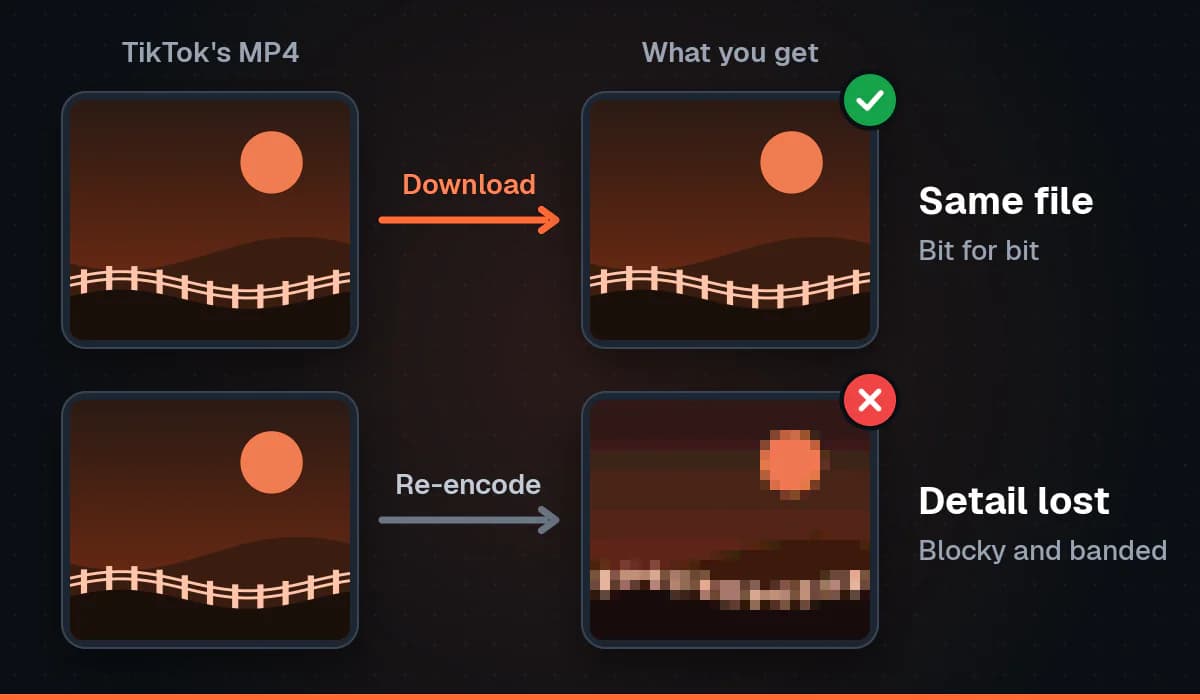
Re-encoding also changes the file size in ways that have nothing to do with quality. That is why we show the real size of each file before you download it. It is the size of the MP4 TikTok serves, not an estimate.
HD or Standard: which MP4 to pick
For many videos TikTok keeps more than one version, and we offer the ones it makes available, without the watermark, as HD and Standard. HD is the higher quality version TikTok serves for that post, usually with a higher bitrate and a bigger file. Standard is usually lighter, which is handy on mobile data or when you only want to send the clip in a chat.
- Pick HD for editing, reposting your own clip, or watching on a large screen.
- Pick Standard when file size matters more than the last bit of sharpness.
- Expect the resolution of the upload. HD cannot be better than what the creator uploaded and TikTok kept, so we never promise 1080p or 4K.
If a higher resolution option is missing, the reason is almost always on the platform side. We explain it in why some videos have no 1080p version, and there is more on getting the sharpest copy in our guide to HD TikTok downloads.
TikTok to MP3 when you only need the sound
Sometimes the video is beside the point: you want the voiceover, a track for a practice session, or a sound you recorded yourself. For that, the downloader offers an MP3 made from the video's audio, next to the MP4 options.
MP3 is an audio only format that plays almost anywhere, so it is the simplest way to take the sound with you. Unlike the MP4, the MP3 is created from the audio track rather than served as is, so it is the one option that involves encoding. For speech and casual listening the difference is hard to hear. If you plan to edit the audio alongside the picture, download the MP4 instead, because the original AAC sound comes with it and every editor can pull the audio out of it.
One caution: a lot of TikTok audio is licensed music. Having an MP3 of it does not give you the right to reuse that song in your own content.
Four ways to get a TikTok MP4, compared
| Method | Watermark | Quality | File size | Audio |
|---|---|---|---|---|
| TikTok in-app Save video | Yes, TikTok logo and username | TikTok's compressed copy, only if the creator allows downloads | Similar to the served file | Original sound included |
| Our downloader, MP4 | No, in HD and Standard (a watermarked copy is labelled as such) | Exactly what TikTok serves, nothing re-encoded | The real size, shown before you download | Original sound included, plus an MP3 option |
| Screen recording | Whatever is on screen, including the interface | Re-encoded, often with dropped frames | Often larger than the original | Depends on settings, can pick up notifications or miss sound |
| Online re-encoding converter | Varies | Lower than the source, even when the resolution is raised | Changed by the re-encode, not a sign of quality | Usually re-encoded as well |
Troubleshooting
The link is not accepted
- Check that you copied a video link and not a profile link. A profile address has the @handle but no /video/ and number after it.
- Copy the link again from the Share menu. A link cut off halfway through when pasting will not resolve.
- If a short link fails, open it in your browser, let it redirect to the full tiktok.com address, and paste that instead.
- Some networks block the short link redirect. Switching between Wi-Fi and mobile data often fixes it.
A photo post has no MP4
Photo mode posts are slideshows of still images with a sound attached. TikTok plays them like a video, but there is no video file behind them, so no MP4 exists to download. That is a limit of the post itself, not something a different tool can work around by converting.
The file will not play or will not import
- Let the download finish. A file opened while it is still downloading looks broken.
- Check the extension. It should end in .mp4. If your browser saved it without one, rename it to add .mp4.
- Check for HEVC. Some videos use the HEVC codec, which older computers and some Windows setups cannot play without an extra codec. A modern player such as VLC handles it, and current versions of CapCut, iMovie and Premiere import it. If your editor still refuses, update it before trying anything else.
- Try another player before assuming the file is damaged.
Only a watermarked version is offered
For some videos TikTok only makes a watermarked copy available. When that happens, we still offer it, but we label it as watermarked so you know before you download. We cannot remove a watermark that is part of the only file TikTok serves.
The video is private or restricted
Private, friends only and login restricted videos are not supported, and neither are live broadcasts. A downloader sees TikTok the way a logged out visitor does, so if the video is not public there is nothing it can reach. If it is a friend's video, the simplest route is to ask them to send you the file.
Warning: Important
Only download media you own or have permission to use. A TikTok MP4 without the watermark still belongs to the person who made it: ask before you repost, edit or use someone else's video, and credit them when you do.
FAQ
Do I need an app or an account to convert TikTok to MP4?
No. Our downloader runs in any browser on a phone, tablet or computer, and there is nothing to install and no account to create.
Does a TikTok MP4 downloader lower the quality?
Ours does not, because it downloads the MP4 TikTok serves instead of re-encoding it. Tools that convert the video again do lose some quality, even when they advertise a higher resolution.
Can I use a vm.tiktok.com or vt.tiktok.com link?
Yes. Short links from the app and full tiktok.com/@user/video/ addresses both work, so you can paste whichever one you have.
Where does the MP4 go after I download it?
On Android and on computers, it goes to your Downloads folder. On an iPhone or iPad, it goes to Downloads in the Files app, and from there you can save it to Photos.
Can I get a TikTok in 1080p or 4K?
Only if TikTok serves that resolution for the video. HD is the best version TikTok makes available for that post. We do not upscale, because upscaling adds pixels without adding detail.
Can I download TikTok to MP3 instead?
Yes. Next to the MP4 files there is an MP3 made from the video's audio. Keep in mind that much of TikTok's music is licensed and not yours to reuse.
Can I post my TikTok MP4 to Reels or Shorts?
If the video is yours, yes, and a copy without the watermark looks more at home on Instagram Reels and YouTube Shorts. For backups and cross-posting, see our roundup on downloading your own social media videos.
Conclusion
Getting a TikTok to MP4 is simpler than the word "converter" suggests. TikTok already stores the video as an MP4, so the right move is to download that file as it is: copy the link, paste it, and choose HD, Standard or MP3. You keep the quality TikTok kept, the file size you see is the size you get, and the result works in every player and editor. When you have a link ready, paste it into our TikTok to MP4 downloader, and keep to videos you own or have permission to use.