The cleanest way to get rid of a TikTok watermark is not to remove it at all. TikTok keeps a version of most public videos with no logo on it, so fetching that version from the video's link gives you a clean file without erasing anything. Cropping and "watermark remover" apps work on a copy that already has the stamp baked in, and each one costs you part of the picture.
Quick answer
- If the video is yours, use the original clip from your camera roll or your drafts. It never had a watermark.
- If you have the link, paste it into our TikTok downloader and pick HD or Standard, which come without the watermark whenever TikTok serves them.
- If all you have is a watermarked file, an eraser app can blur or paint over the logo, but expect a smudge and some quality loss.
- Crop only as a last resort. It cuts off the edges of the frame, and the watermark often reappears elsewhere anyway.
- Only do any of this with videos you own or have permission to use, and credit the creator.
What the TikTok watermark is, and why cropping rarely works
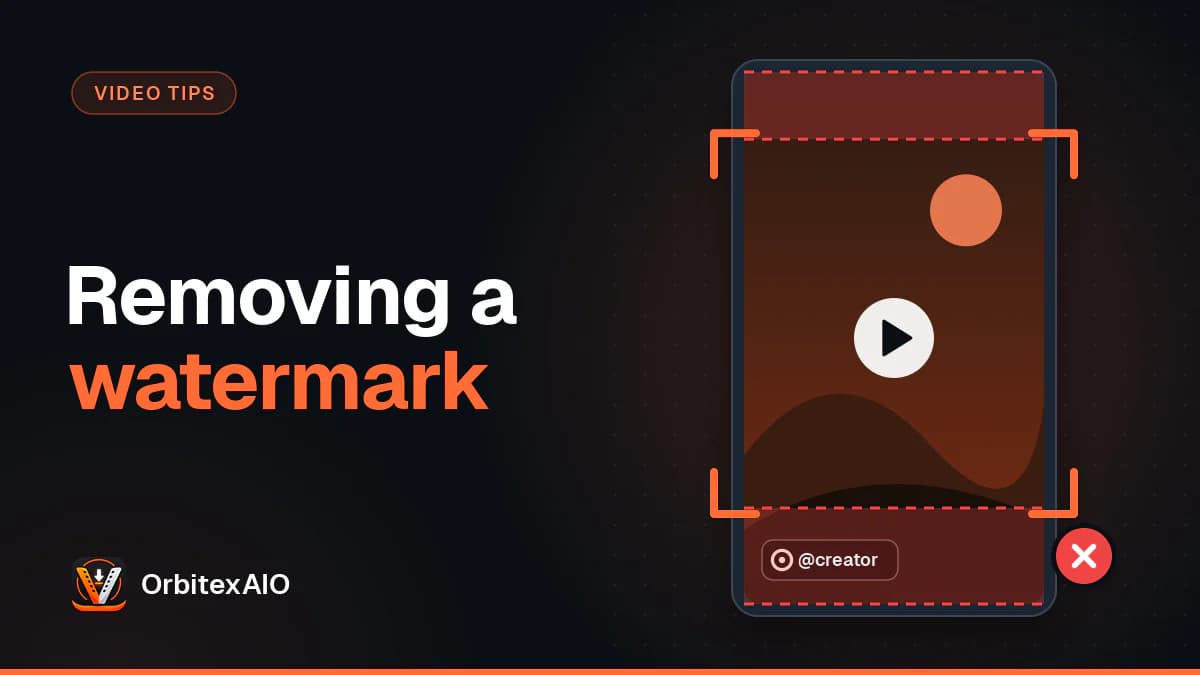
When you tap Save video in the TikTok app, the file you get is not the plain clip. TikTok draws its logo and the creator's @username on top of the picture and writes the result into a new file. The stamp is not a layer that can be switched off later. In every frame it covers, the pixels underneath have been replaced by the logo.
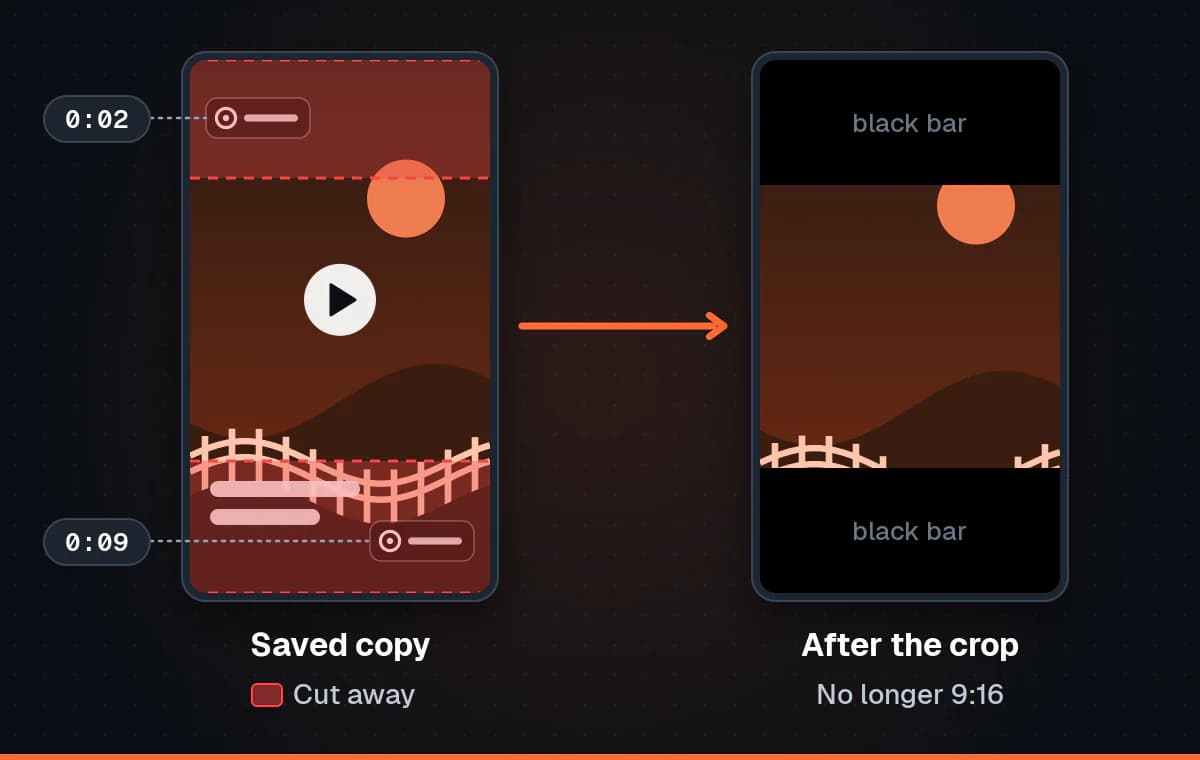
Two details make it harder to deal with than a fixed logo. First, it moves: the logo and username typically sit in one part of the frame for a while, then jump to another, often to the opposite side. Second, many saved videos finish with a short end card showing the TikTok logo and the username, added after the last frame of the actual video.
That is why the obvious fix disappoints. Crop out the corner where you first spot the logo, and a few seconds later it turns up where your crop did not reach. Crop enough to catch every position, and you have thrown away a large share of a 9:16 vertical frame, often including faces, captions or the very thing the video is about.
Note: Note
Removing a watermark means changing pixels that are already in the file. A clean download is different: it is a separate version TikTok stores without the stamp, so there is nothing to change. That difference explains every result in the comparison below.
Method 1: crop the watermark out
Cropping is built into almost every phone gallery and video editor, it is free, and it leaves no smudge, because it does not guess what was under the logo. It just removes that part of the picture. For a clip where the stamp stays in one place and the subject is centred, that can be good enough.
How to crop a saved TikTok
- Play the whole video once and note every place the logo and username appear.
- Open the video in your gallery's editor or a video editing app and choose the crop tool.
- Drag the edges in until every watermark position is outside the frame.
- Trim the end of the clip to cut the end card, if there is one.
- Export the result and compare it with the original before deleting anything.
What cropping costs you
- The edges of the frame. Whatever was near the logo goes with it.
- The aspect ratio. A cropped video is no longer 9:16, so vertical apps add black bars or zoom in, cutting off even more.
- Sharpness. Fewer pixels, scaled back up to fill a phone screen, look softer.
- A second compression. Exporting the crop re-encodes the video and loses a little more detail.
Method 2: blur or erase it with a watermark remover app
A TikTok watermark remover app, or a website doing the same job, keeps the full frame and tries to hide the logo instead. The simple approach blurs or pixelates a box around the watermark. The ambitious one uses inpainting, often sold as "AI erase" or object removal: you mark the logo, and the software fills that area with its best guess of the background, based on the surrounding pixels and nearby frames. Because the stamp moves, you usually have to mark each position and time separately before exporting.
Why the result is never quite clean
Nothing can recover the pixels that were under the logo, because the saved file no longer contains them. Blurring hides the shape but leaves an obvious soft patch. Inpainting can look convincing on a plain wall or a clear sky, and much worse on anything that moves, such as a turning face, hair, water or text. There the guess shows up as a smear that shimmers from frame to frame, because each frame is filled slightly differently.
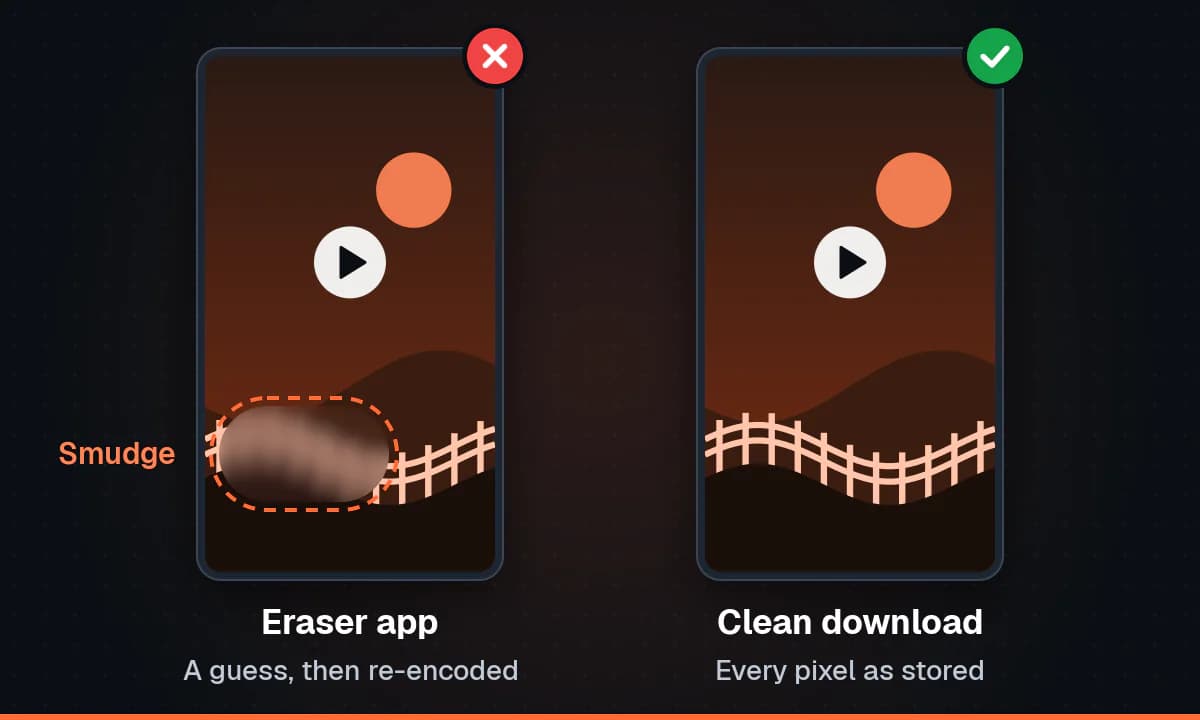
On top of that, every one of these apps decodes the video and compresses it again to save the result. That second encode adds its own compression artefacts: blocky dark areas, banding in gradients, general softness. We cover the mechanics in what happens when a TikTok is compressed a second time, and why a re-saved TikTok loses its sharpness goes further into bitrate and detail.
There are practical costs too. Many remover apps are free to try but add their own watermark to the export, limit length or resolution, show ads between steps, or ask for a subscription to unlock a clean result. Some upload your video to their servers. It is worth reading what you agree to before handing over a file.
Method 3: keep your own original, before or after posting
If the video is yours, the best copy was never on TikTok. Whatever you filmed or edited before uploading has no logo and is at the quality you recorded it. TikTok compresses uploads, so your original is usually sharper than anything you could get back from the app.
- Your camera roll. Clips recorded with the phone camera stay there after you post them, unless you deleted them.
- Your editing app. A finished export is normally saved to your gallery or kept in the app's project list.
- TikTok drafts. A draft lives inside the app on that device, and the draft editor generally lets you save it to your device.
- Saving while you post. The posting screen has a setting, usually under more options, that saves the video to your device as you publish it.
TikTok renames and moves these options between versions, so look through the posting screen itself rather than the main settings. If you filmed a clip inside TikTok and never saved it, there may be no original outside the app. Then your options are the platform's own data export, covered in getting your own uploads back from each platform, or the clean download below.
Method 4: download the clean version TikTok already stores
For most public videos, TikTok keeps more than the stamped copy it gives you through Save video. It also serves versions of the same video without the logo and username. A downloader that reads the video's link can offer you one of those instead. Nothing is erased, blurred or cropped, because the watermark was never drawn onto that version, so the full frame and its edges are intact.
That is what the TikTok video downloader on our site does. It runs in any browser on a phone or computer, with no app and no account. Paste a vm.tiktok.com or vt.tiktok.com short link or a full tiktok.com address, and it lists what TikTok serves for that post: HD and Standard without the watermark, plus an MP3 of the sound. It does not upscale or re-encode anything, and if TikTok only serves a watermarked copy, that copy is offered with a watermarked label. How the lookup works explains the process.
We do not repeat the steps here. Our step by step guide to downloading a TikTok without the watermark walks through them on Android, iPhone and desktop, and saving a TikTok as an MP3 covers the audio only route.
What this method cannot do
- It cannot clean a file you already have. It works from the link, so find the video again and copy it. Our guide on finding a TikTok video's URL shows where it is.
- It needs a public video. Private, friends only and login restricted videos are not supported, and neither are live broadcasts.
- It needs a video. Photo mode slideshows are images with a sound, with no video file behind them.
- It depends on TikTok. If the clean versions are not served for a post, the watermarked copy is all there is.
The four methods compared
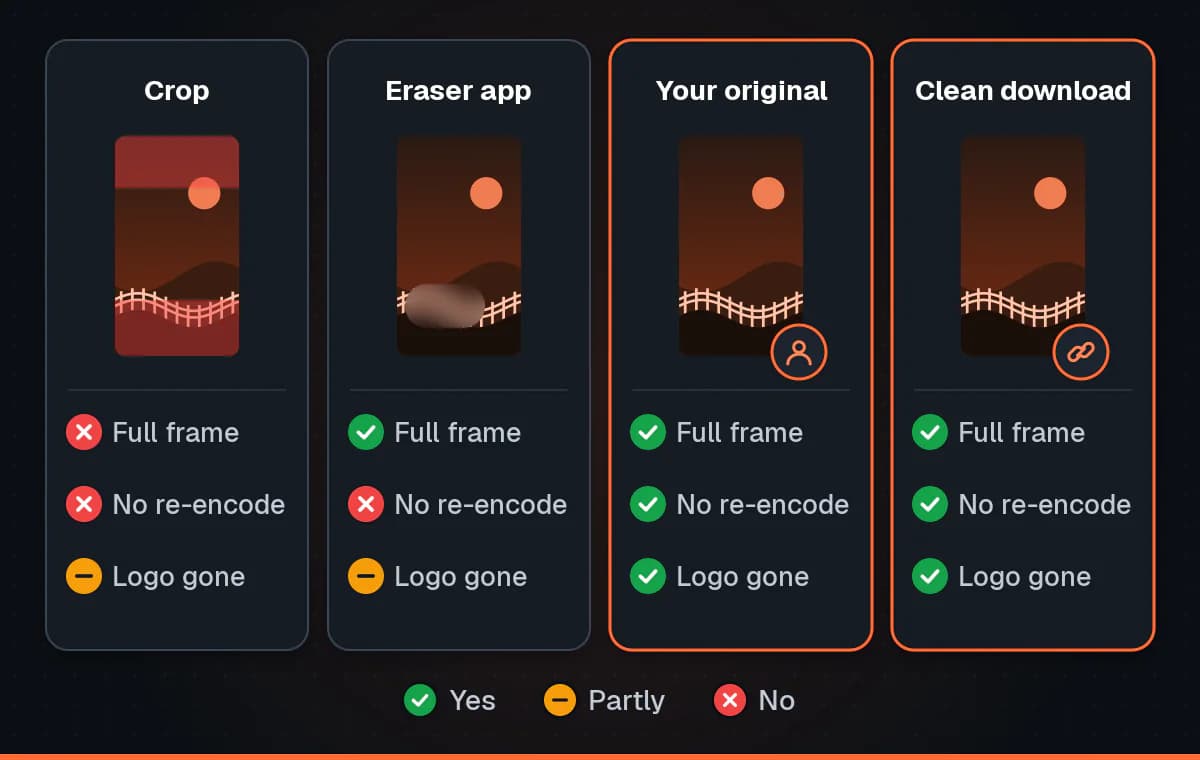
| Method | Quality kept | Watermark fully gone | Effort | Cost | Original altered |
|---|---|---|---|---|---|
| Cropping | Lower: fewer pixels, compressed again | Rarely, because the logo moves | Low for one position, more for several | Free in most editors | Yes, edges and aspect ratio change |
| Blur or AI erase app | Lower: a smudged patch plus re-encoding loss | Hidden, but a patch usually shows | Medium: marking each position | Often ads, limits or a subscription | Yes, pixels replaced with a guess |
| Your own original | Best: the file before TikTok compressed it | Yes, it never had one | Low, if you kept it | Free | No |
| Clean download from the link | What TikTok serves, not re-encoded | Yes, when TikTok serves the clean version | Low: copy, paste, pick HD or Standard | Free, no app or account | No, nothing is erased |
Put simply: for your own videos, use your original. For anything else you are allowed to use, get the clean version from the link. Crop or erase only when neither is possible, and accept that the result will show it.
Is it okay to remove a TikTok watermark?
It depends on whose video it is and what you do with it. The watermark exists to show who made the video and where it came from. Taking it off your own content before posting to Instagram Reels or YouTube Shorts is entirely reasonable: it is your work, and a clean file looks more at home elsewhere.
Removing it from someone else's video so you can repost it as yours is a different matter. It misrepresents who made it, it can breach TikTok's terms, and it can infringe the creator's copyright and the rights to any music in it. The legitimate cases are your own videos, videos a creator has given you permission to use with clear credit, and clean copies kept for private viewing.
Warning: Important
Only download or edit media you own or have permission to use. A video without the TikTok watermark still belongs to the person who made it, so ask before reposting someone else's work and credit them by name when you do.
Troubleshooting
A blurry patch is left where the watermark was
That patch is the app guessing at pixels it does not have, and no setting makes the guess exact. A tight selection around the logo helps a little, as does a plain, still background. If the patch lands on a face or moving detail, the realistic fix is a better source: your own original, or a clean download from the link.
The watermark jumps to another corner
This is normal for saved TikToks. Scrub through the whole video, mark every position the stamp takes and when it moves, then crop or erase each one, and trim off the end card. If there are several positions, cropping them all usually ruins the frame, and a clean download becomes the far better option.
Only a watermarked copy is available from the link
For some videos TikTok does not serve the clean versions, and the downloader shows only a copy labelled as watermarked. We cannot remove a watermark that is part of the only file TikTok provides. Check that you pasted a video link rather than a profile link, and try again later in case it was temporary. If the video is yours, go back to your original. If not, ask the creator for the file.
The export looks worse than the original
- Match the export resolution to the source. Exporting a 720p video at 1080p adds file size, not detail.
- Choose a high quality export if the app offers one, since defaults are often tuned for small files.
- Edit once. Every export compresses again, so crop, trim and erase in one session.
- Start from the best copy you can get. A watermarked file saved from the app is already compressed, so a clean download or your original gives any edit a better start.
FAQ
Can your tool remove the watermark from a video I already saved?
No. We do not edit files. The downloader works from a TikTok link and offers the versions TikTok serves, which usually include ones without the watermark. Find the video again, copy its link, and download the clean version.
Does removing the watermark lower the quality?
Cropping and erasing do, because both change the picture and export it again. A clean download does not, because it is the file TikTok stores, with nothing re-encoded.
Do I need a TikTok watermark remover app?
Not if you have the video's link or your own original. An app only helps when all you have is a watermarked file and no way back to the source.
How do I get rid of the TikTok watermark on my own videos?
Use the clip from your camera roll or editing app, or turn on the option to save to your device when posting. Both give you a file that never had a watermark.
Will a clean download have the end card?
The end card belongs to the watermarked copy TikTok builds when you tap Save video. The clean versions are the video itself, so there should be nothing to trim off the end.
Is removing a TikTok watermark legal?
On your own videos, or with the creator's permission and credit, it is a normal part of cross-posting. Removing it to pass off someone else's work as yours can breach TikTok's terms and the creator's copyright.
Conclusion
Every way of removing a watermark from a saved TikTok works on a file that is already stamped, so each gives something up: the edges of the frame, a smudge where the logo was, or another round of compression. The two methods that give up nothing skip removal altogether. Use your own original when the video is yours, and when you have a link to a video you are allowed to use, open the downloader and paste it to get the version that never had a watermark.